Get Your Copy


How to Find Your Google Review Link and Actually Use It
The Essential Guide to Your Google Review Link
For small business owners, a Google Review Link is more than a convenience. It’s a direct path to building trust, earning more five-star reviews, and improving your visibility in local search results. This guide will show you how to find your review link, how to use it, and how to turn it into a consistent stream of customer feedback.
At Review Monkey, we believe reviews should work for you without added stress. Our tools help you simplify the process so you can focus on delivering great service while the reviews take care of themselves.
What Is a Google Review Link?
A Google Review Link is a unique URL that sends customers straight to the review form for your business. It removes extra steps, cuts confusion, and makes it easier for people to leave a review while the experience is still fresh in their minds.
This link is one of the most effective ways to grow your review count. When you connect it with Review Monkey’s tools like QR codes, tap cards, and automated messages, you create a seamless review process that encourages more feedback with less effort.
Why Your Business Needs One
Google reviews help shape your reputation and directly influence your position in local search results. More reviews mean more visibility and give potential customers social proof they can trust your business.
Having your review link ready allows you to make the ask when it counts. That might be after a successful job, during checkout, or in a quick follow-up message. Review Monkey gives you the tools to deliver your link through SMS or printed materials so you never miss a chance to connect with happy customers.
How to Find and Share Your Google Review Link
Getting your Google Review Link doesn’t need to be complicated. Here are the easiest and most reliable ways to generate it, along with practical strategies to share it with your customers.
Option 1: Use Your Google Business Profile
Log in to your Google Business Profile Manager. On the dashboard, look for the section that says “Get more reviews” or “Ask for reviews”. You’ll see a button labeled “Share review form” or something similar. Click it, and Google will generate your unique review link.
This link directs customers straight to your review window, which removes unnecessary steps and improves the chances they’ll follow through. If you manage more than one location, be sure to get the link for each profile. Review Monkey helps you store and use these links across all your review request tools with ease.
Option 2: Search for Your Business on Google
Another quick way to get your review link is by searching your business name on Google while logged into the account that manages your listing. You’ll see a business panel appear with a button labeled “Ask for reviews.” Clicking on this button will show you your business review link, a QR code you can download, and links to post a review on social media and through email.
This method is simple, especially for businesses already active on Google. Once you have your link, you can plug it into Review Monkey and begin using it in texts, emails, or on printed materials.
Option 3: Use the Place ID Lookup Tool
If the first two methods don’t work, you can use Google’s Place ID Finder. Go to the tool, search your business name, and copy the Place ID that appears. Then paste it into this format:
https://search.google.com/local/writereview?placeid=YOUR_PLACE_ID
This approach is especially helpful if you’re managing multiple business locations or if your listing is new. Review Monkey users can save their links by location inside their dashboard and connect them to SMS, QR, and print review tools without needing to rebuild anything.
How to Share Your Google Review Link Effectively
Once you have your Google Review Link, the next step is getting it in front of your customers. The key is to share it in ways that feel natural and easy. You want your link to show up in the right moments, not just the right places.
Use QR Codes for On-the-Spot Reviews
QR codes are a simple and effective way to get reviews while the experience is still fresh. Customers can scan and go straight to your review form. It works well at checkout counters, on business cards, or at job sites.
You can use a QR code generator to convert your Google Review Link or let Review Monkey handle it for you. Our system automatically creates dynamic QR codes that are mobile-friendly, branded to your colors, and ready to print or share anywhere.
Add the Link to Your Website and Emails
Make your website work harder by adding your review link to key pages. Good spots include the homepage, thank-you page, contact page, and footer. A simple message like “Tell us how we did” with the link helps nudge happy customers to leave a review.
You can also include the link in your email signature or post-purchase emails. With Review Monkey, this entire process is automated. You can schedule review request emails or connect them to customer actions, so your requests go out at the perfect time.
Include the Link in Text Messages
SMS messages have one of the highest open rates of any communication channel. A quick, friendly message with a direct link to your review page is often all it takes.
Keep it short. Thank the customer, ask for their feedback, and include the link. Review Monkey makes this part easy with built-in SMS tools that let you send review requests with just a few clicks.
Add It to Print Materials and Product Packaging
Physical materials are still powerful. Whether it’s a service invoice, thank-you card, or product box, every touchpoint is a chance to invite a review. Print your Google Review Link or a QR code on items your customers take home or see often.
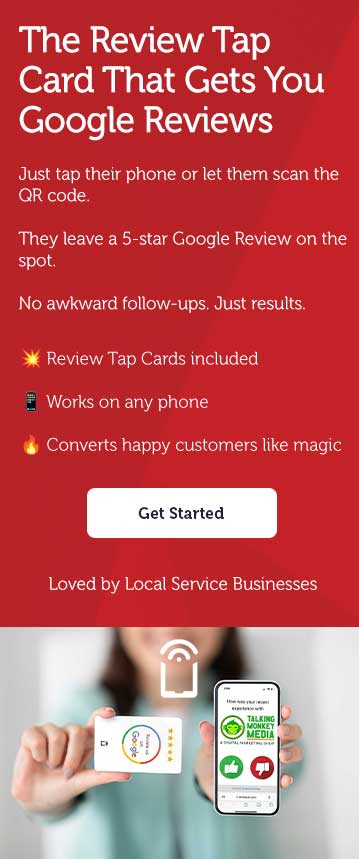
For in-person interactions, Review Monkey’s tap cards are one of the easiest tools available. Just tap the card against a customer’s phone or let them scan the built-in QR code. It takes them directly to your review form without typing or searching. It’s fast, simple, and leaves a strong impression.
Post It on Social Media and Business Listings
Your social media profiles should include more than just updates. Add your Google Review Link to your bio or about section on platforms like Facebook, Instagram, and LinkedIn. You can also share it in posts that highlight recent work or happy customers.
Don’t forget digital directories like Yelp or your local chamber site. Some allow additional links or profile customization where your review link can live. Review Monkey helps keep your assets organized so you can post consistently without hunting for links or rebuilding content every time.
Best Practices for Consistent Review Collection
Reviews are most effective when they’re collected regularly. You don’t need a huge spike. What you need is a steady stream of honest feedback that shows your business is active and trusted.
With Review Monkey, you can build this into your workflow. Our tools automate review requests after purchases, completed services, or check-ins, which means you don’t have to remember to follow up. It just happens, and it works.
Asking for reviews doesn’t need to feel awkward. Make it a normal part of how you wrap up a job or send a thank-you. A quick ask with a clear link, or a tap card handoff, is all it takes to keep your reputation growing.
Troubleshooting Common Google Review Link Issues
Even with the right link, things can occasionally go sideways. Maybe the link isn’t working, it loads the wrong business, or your profile doesn’t show up correctly. Here’s how to fix the most common problems.
If Your Link Isn’t Working
First, test the link yourself. Make sure it goes directly to your Google review form and loads fully on both desktop and mobile. If you used a short URL, double-check that it hasn’t expired or broken. We recommend avoiding third-party URL shorteners unless you’re tracking with a reliable tool.
Review Monkey automatically creates short, branded links that stay connected to your correct review page. You can view, test, and update your links anytime inside your dashboard.
If Business Info Is Missing or Incorrect
A broken link could also point to outdated or incorrect business info. Log in to your Google Business Profile and verify your name, address, and phone number. If you have multiple locations, make sure each has its own complete profile and separate review link.
Review Monkey allows you to manage multiple business locations in one account. Each location’s review link and QR code are handled separately, making sure your customers always land on the right page.
When to Contact Google Support
If everything looks right and your review link still isn’t working, reach out to Google Business Support. They can help with listing errors, suspended profiles, or issues related to Google policy.
Before you contact support, gather your business name, account email, and Place ID. If you’re a Review Monkey customer, we’ll help you troubleshoot first and only escalate to Google if needed. We’re here to make the tech part simple so you can focus on your business.
Your Review Link Is Just the Beginning
You don’t need complicated tools or marketing tricks to grow your reputation. You just need to ask the right way, at the right time. Your Google Review Link gives you that opportunity, and Review Monkey makes the process smoother, faster, and easier to manage.
Your Next Steps
- Find your Google Review Link
- Plug it into Review Monkey
- Start sharing through SMS, QR codes, emails, and tap cards
- Watch the reviews roll in
Make it part of your routine. Make it simple for your customers. And most importantly, make it a tool for long-term growth, not a one-time tactic.
Ready to Get More 5-Star Reviews?
Review Monkey helps small businesses turn everyday customer interactions into consistent, authentic reviews. With tap cards, dynamic QR codes, branded short links, and automated campaigns, we give you everything you need to build a review engine that runs on its own.
Book a 15-minute demo with Review Monkey today and see how easy it is to grow your reputation—one review at a time.